Mobile Test Automation with Appium: The Complete Guide
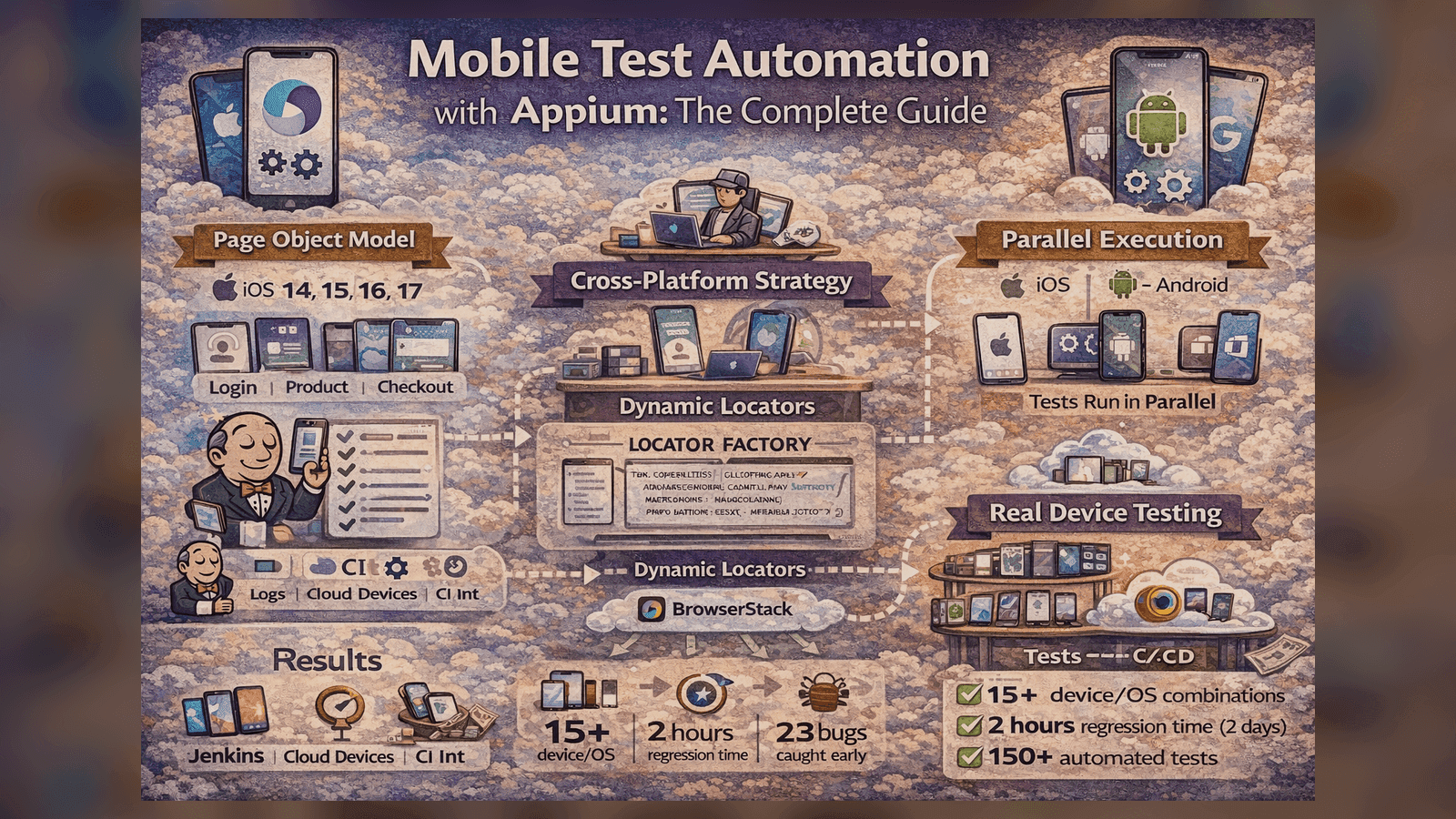
Built a cross-platform mobile testing framework that reduced regression time from 2 days to 2 hours and found 23 device-specific bugs before release.
Mobile Test Automation with Appium: The Complete Guide
Mobile testing is hard. Testing across 15+ device/OS combinations manually? Impossible. Here's how I built an Appium framework that made it manageable.
The Mobile Testing Problem
Our app needed to work on:
- iOS: 14, 15, 16, 17
- Android: 10, 11, 12, 13, 14
- Devices: iPhone 12/13/14/15, Samsung S21/S22/S23, Pixel 6/7/8
That's 20+ combinations. Manual testing took 2 days per release.
Appium Setup: The Foundation
# config/capabilities.py
from appium import webdriver

class Capabilities:
    @staticmethod
    def ios_capabilities(device_name="iPhone 14"):
        return {
            "platformName": "iOS",
            "platformVersion": "16.0",
            "deviceName": device_name,
            "automationName": "XCUITest",
            "app": "/path/to/app.ipa",
            "noReset": True,
            "newCommandTimeout": 300
        }

    @staticmethod
    def android_capabilities(device_name="Samsung Galaxy S22"):
        return {
            "platformName": "Android",
            "platformVersion": "13.0",
            "deviceName": device_name,
            "automationName": "UiAutomator2",
            "app": "/path/to/app.apk",
            "noReset": True,
            "newCommandTimeout": 300,
            "autoGrantPermissions": True
        }

# conftest.py
import pytest
from appium import webdriver

@pytest.fixture(scope="function")
def driver(request):
    platform = request.config.getoption("--platform")

    if platform == "ios":
        caps = Capabilities.ios_capabilities()
    else:
        caps = Capabilities.android_capabilities()

    driver = webdriver.Remote("http://localhost:4723/wd/hub", caps)
    yield driver
    driver.quit()
Page Object Model for Mobile
Mobile POM is similar to web, but with mobile-specific challenges:
# pages/base_page.py
from appium.webdriver.common.mobileby import MobileBy
from selenium.webdriver.support.ui import WebDriverWait
from selenium.webdriver.support import expected_conditions as EC

class BasePage:
    def __init__(self, driver):
        self.driver = driver
        self.wait = WebDriverWait(driver, 10)

    def find_element(self, locator):
        return self.wait.until(EC.presence_of_element_located(locator))

    def tap(self, locator):
        element = self.wait.until(EC.element_to_be_clickable(locator))
        element.click()

    def send_keys(self, locator, text):
        element = self.find_element(locator)
        element.clear()
        element.send_keys(text)

    def swipe_up(self, duration=800):
        size = self.driver.get_window_size()
        start_x = size['width'] // 2
        start_y = int(size['height'] * 0.8)
        end_y = int(size['height'] * 0.2)
        self.driver.swipe(start_x, start_y, start_x, end_y, duration)

    def is_keyboard_shown(self):
        return self.driver.is_keyboard_shown()

    def hide_keyboard(self):
        if self.is_keyboard_shown():
            self.driver.hide_keyboard()

# pages/login_page.py
class LoginPage(BasePage):
    # iOS locators
    IOS_USERNAME = (MobileBy.ACCESSIBILITY_ID, "username_field")
    IOS_PASSWORD = (MobileBy.ACCESSIBILITY_ID, "password_field")
    IOS_LOGIN_BTN = (MobileBy.ACCESSIBILITY_ID, "login_button")

    # Android locators
    ANDROID_USERNAME = (MobileBy.ID, "com.app:id/username")
    ANDROID_PASSWORD = (MobileBy.ID, "com.app:id/password")
    ANDROID_LOGIN_BTN = (MobileBy.ID, "com.app:id/login_btn")

    def __init__(self, driver):
        super().__init__(driver)
        self.platform = driver.capabilities['platformName']

    @property
    def username_field(self):
        return self.IOS_USERNAME if self.platform == 'iOS' else self.ANDROID_USERNAME

    @property
    def password_field(self):
        return self.IOS_PASSWORD if self.platform == 'iOS' else self.ANDROID_PASSWORD

    @property
    def login_button(self):
        return self.IOS_LOGIN_BTN if self.platform == 'iOS' else self.ANDROID_LOGIN_BTN

    def login(self, username, password):
        self.send_keys(self.username_field, username)
        self.send_keys(self.password_field, password)
        self.hide_keyboard()
        self.tap(self.login_button)
        return DashboardPage(self.driver)
Cross-Platform Locator Strategy
The biggest challenge: different locators for iOS vs Android.
Solution: Locator Factory Pattern
# locators/locator_factory.py
class LocatorFactory:
    def __init__(self, platform):
        self.platform = platform

    def get_locator(self, ios_locator, android_locator):
        return ios_locator if self.platform == 'iOS' else android_locator

    def by_text(self, text):
        if self.platform == 'iOS':
            return (MobileBy.IOS_PREDICATE, f"label == '{text}' OR name == '{text}'")
        else:
            return (MobileBy.ANDROID_UIAUTOMATOR,
                   f'new UiSelector().text("{text}")')

    def by_accessibility_id(self, accessibility_id):
        return (MobileBy.ACCESSIBILITY_ID, accessibility_id)

# Usage in page objects
class ProductPage(BasePage):
    def __init__(self, driver):
        super().__init__(driver)
        self.locators = LocatorFactory(driver.capabilities['platformName'])

    def select_product(self, product_name):
        locator = self.locators.by_text(product_name)
        self.tap(locator)
Handling Mobile-Specific Gestures
# utils/gestures.py
class Gestures:
    def __init__(self, driver):
        self.driver = driver

    def scroll_to_element(self, locator, max_swipes=5):
        """Scroll until element is visible"""
        for _ in range(max_swipes):
            try:
                element = self.driver.find_element(*locator)
                if element.is_displayed():
                    return element
            except:
                pass
            self.swipe_up()
        raise Exception(f"Element {locator} not found after {max_swipes} swipes")

    def swipe_left_on_element(self, element):
        """Swipe left on specific element (e.g., to delete)"""
        location = element.location
        size = element.size

        start_x = location['x'] + int(size['width'] * 0.9)
        start_y = location['y'] + size['height'] // 2
        end_x = location['x'] + int(size['width'] * 0.1)

        self.driver.swipe(start_x, start_y, end_x, start_y, 500)

    def long_press(self, locator, duration=1000):
        """Long press on element"""
        element = self.driver.find_element(*locator)
        from appium.webdriver.common.touch_action import TouchAction

        action = TouchAction(self.driver)
        action.long_press(element, duration=duration).release().perform()
Real Device vs Emulator Strategy
My testing pyramid:
- Emulators (80% of tests): Fast, cheap, good for regression
- Real Devices (20% of tests): Critical flows, device-specific features
# conftest.py
@pytest.fixture(scope="session")
def test_environment(request):
    env = request.config.getoption("--environment")

    if env == "local":
        # Use local emulator
        return {
            "appium_url": "http://localhost:4723/wd/hub",
            "device_type": "emulator"
        }
    elif env == "browserstack":
        # Use BrowserStack real devices
        return {
            "appium_url": f"https://{BS_USER}:{BS_KEY}@hub-cloud.browserstack.com/wd/hub",
            "device_type": "real",
            "browserstack.debug": True
        }
Cloud Device Testing with BrowserStack
For real device testing, I used BrowserStack:
# config/browserstack.py
BS_CAPABILITIES = {
    "build": "Mobile Automation v1.0",
    "project": "E-Commerce App",
    "browserstack.debug": True,
    "browserstack.networkLogs": True,
    "browserstack.appiumLogs": True
}

def get_browserstack_device_cap(device_name):
    devices = {
        "iPhone 14": {
            "device": "iPhone 14",
            "osVersion": "16",
            "platformName": "iOS"
        },
        "Samsung S22": {
            "device": "Samsung Galaxy S22",
            "osVersion": "12.0",
            "platformName": "Android"
        }
    }

    caps = {**BS_CAPABILITIES, **devices[device_name]}
    caps["app"] = upload_app_to_browserstack()
    return caps
Parallel Execution
Running tests on multiple devices simultaneously:
# pytest.ini
[pytest]
addopts = -n 4 --dist loadgroup

# conftest.py
@pytest.fixture(scope="session")
def device_pool():
    return [
        {"platform": "iOS", "device": "iPhone 14"},
        {"platform": "iOS", "device": "iPhone 13"},
        {"platform": "Android", "device": "Samsung S22"},
        {"platform": "Android", "device": "Pixel 7"}
    ]

@pytest.mark.parametrize("device_config", device_pool())
def test_login_flow(device_config):
    driver = get_driver(device_config)
    # Test code here
Handling Permissions and Alerts
# utils/permissions.py
class PermissionHandler:
    def __init__(self, driver):
        self.driver = driver
        self.platform = driver.capabilities['platformName']

    def handle_location_permission(self):
        if self.platform == 'iOS':
            alert = self.driver.switch_to.alert
            alert.accept()
        else:
            # Android auto-grants if autoGrantPermissions is true
            # But can also handle manually
            allow_btn = (MobileBy.ID, "com.android.permissioncontroller:id/permission_allow_button")
            try:
                self.driver.find_element(*allow_btn).click()
            except:
                pass

    def handle_notification_permission(self):
        # Similar handling for notification permissions
        pass
Real Test Example: E-Commerce Flow
# tests/test_checkout_flow.py
def test_complete_purchase_flow(driver):
    # Login
    login_page = LoginPage(driver)
    dashboard = login_page.login("test@example.com", "password")
    assert dashboard.is_loaded()

    # Browse products
    products = dashboard.goto_products()
    products.search("laptop")

    # Select product
    product_detail = products.select_first_product()
    product_detail.add_to_cart()

    # Checkout
    cart = product_detail.goto_cart()
    assert cart.get_item_count() == 1

    checkout = cart.proceed_to_checkout()
    checkout.enter_shipping_address({
        "street": "123 Main St",
        "city": "San Francisco",
        "zip": "94102"
    })

    checkout.enter_payment_info({
        "card_number": "4111111111111111",
        "expiry": "12/25",
        "cvv": "123"
    })

    # Confirm
    confirmation = checkout.place_order()
    assert confirmation.get_order_number() is not None
Results
After implementing this framework:
- ✅ Regression time: 2 days → 2 hours (93% faster)
- ✅ Coverage: 15+ device/OS combinations
- ✅ 150+ automated test cases
- ✅ Found 23 device-specific bugs before release
- ✅ CI integration - Tests run on every PR
Key Takeaways
- Page Object Model works great for mobile
- Locator strategy - Account for iOS vs Android differences
- Emulators for speed, real devices for accuracy
- Cloud device farms - Don't maintain physical devices
- Parallel execution - Test multiple devices simultaneously
Mobile automation is challenging but absolutely necessary. The investment pays off immediately in release confidence and bug detection.
Check out my Mobile-Testing-Framework on GitHub for the complete implementation!
Tagged with:
Found this helpful?
I'm available for consulting and full-time QA automation roles. Let's build quality together.